The Sangria Rule Editor
Sangria (TreasureBoat’s D2W — Direct-to-Web) is a rule-based UI. Instead of
hand-building a page for every entity, you write rules, and at runtime the
engine evaluates them to decide which component, layout, label and formatting
to use for each thing it displays. The rules live in .sangria (or .d2wmodel)
files, and the Sangria Rule Editor edits them as a table instead of raw plist.
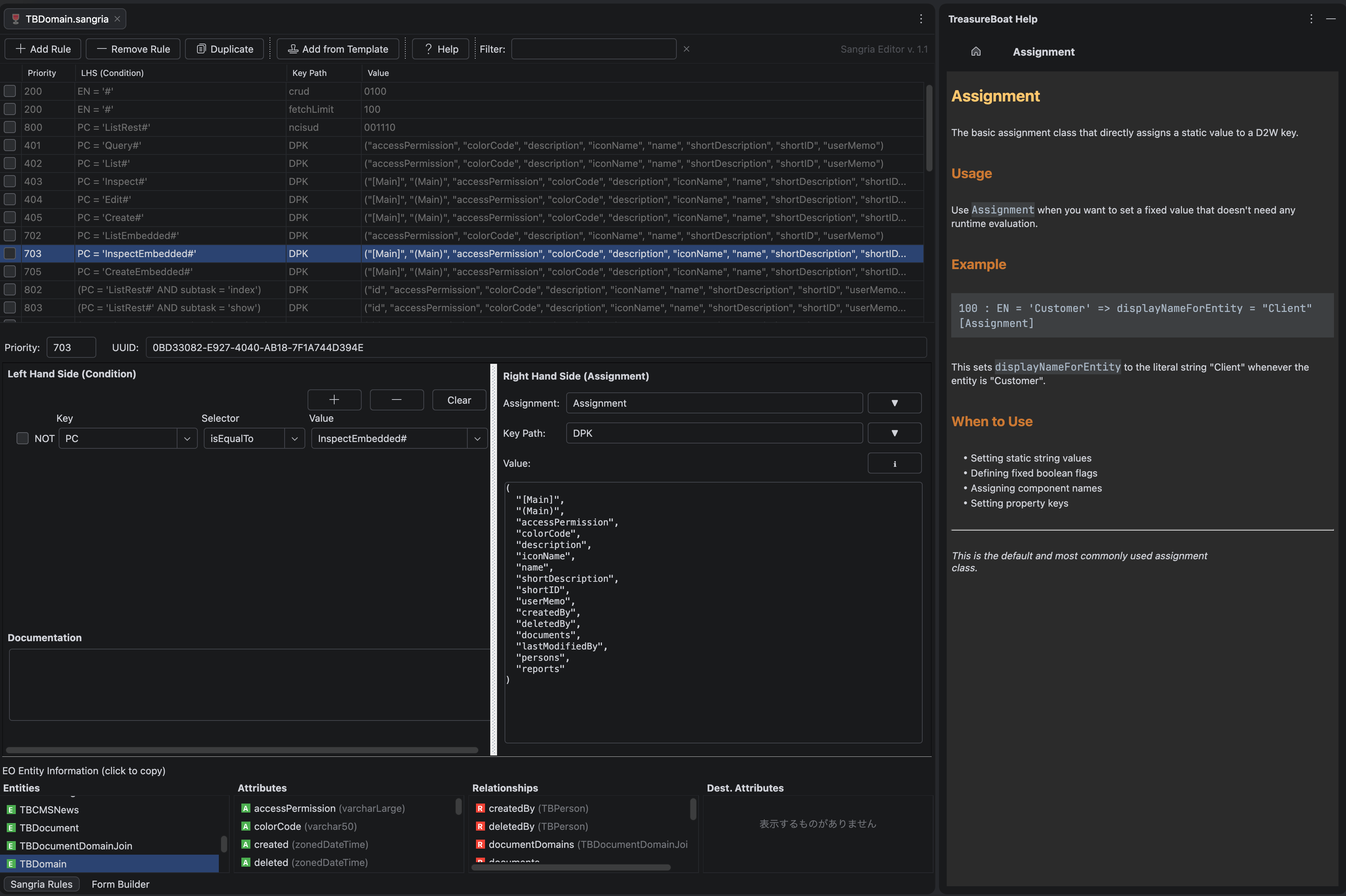
What a rule is
Every rule is LHS ⇒ RHS, with a priority:
- LHS (left-hand side) — the conditions under which the rule fires
- RHS (right-hand side) — the property it sets and the value
- Priority — when several rules match, the highest priority wins
For example, “for the TBPolicy entity, on the edit task, when the property’s
d2wType is policy, use this component”:
LHS:  EN = "TBPolicy"  AND  task = edit  AND  d2wType = "policy"
RHS:  componentName = "TBSangria_Edit_policy"
The LHS abbreviations
D2W keys are abbreviated in the file — worth knowing:
| Key | Meaning |
|---|---|
| EN | Entity Name |
| PC | Page Configuration |
| PK | Property Key |
| task | display / edit / query / list … |
| d2wType | the display type of a property (string, date, popup, policy, …) |
Conditions are joined with AND, each is key <selector> value
(isEqualTo, isLike, …).
The RHS
The RHS sets one property (keyPath) to a value, via an assignment class
that decides how the value is computed:
| Assignment | What it does |
|---|---|
| Assignment | a plain value |
| BooleanAssignment | a true / false |
| DelayedLocalizedAssignment | a localized string, resolved at display time |
| DelayedObjectCreationAssignment | instantiates a class (e.g. a page delegate) |
Common RHS keys: componentName, d2wType, displayNameForPageConfiguration,
nextPageDelegate, DPK (the ordered list of properties to display).
The editor
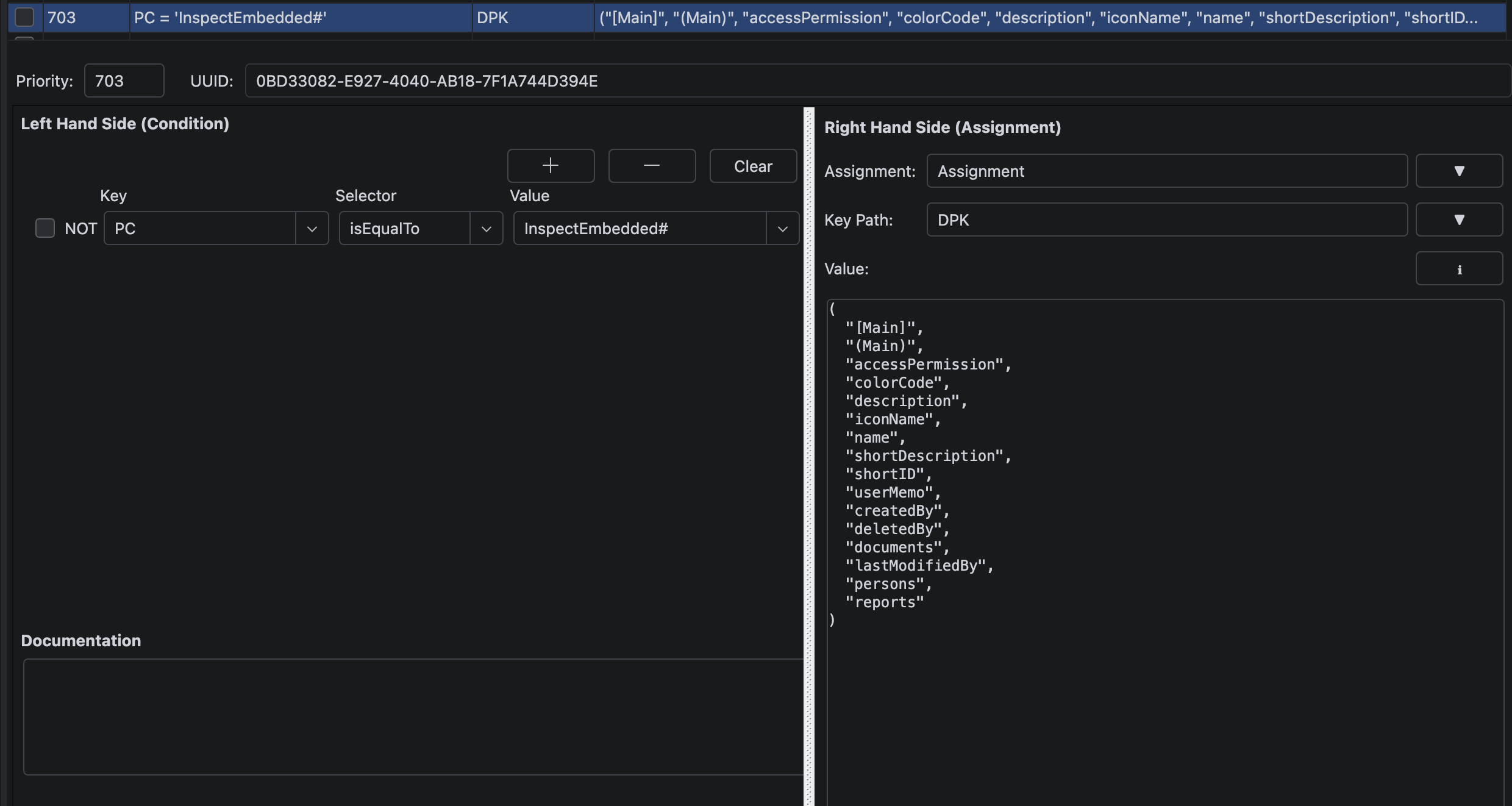
- Rule table (top) — every rule, one per row:
#, Priority, LHS, KeyPath, Value, Class. Click a header to sort; click the Filter box to search across LHS / KeyPath / Value. - Rule properties (bottom-left) — edit the selected rule: its Priority, the LHS qualifier, the RHS key and value, and the assignment class.
- Entity info (bottom-right) — context about the entity the rule refers to, so you can see the model it’s acting on.
Toolbar: Add Rule · Remove Rule · Duplicate · Add from Template · Help.
Good to know
- Priority is stored as
authorin the file (a D2W tradition). Higher = evaluated first. A rough convention: low numbers for framework defaults, higher for app overrides — an app rule with a higher priority quietly wins over the framework’s default without touching the framework. - Rules are declarative — you change how something looks or behaves by adding a rule, not by editing a page. That’s the whole point of D2W.
- A rule can be disabled (a flag) and can carry a documentation note — both show in the editor.
d2wTypeis the key that chooses which display/edit component renders a property. The full catalog of built-in d2wTypes (string, integer, date, toOne, toMany, popup, …) is documented in the Sangria Help tool window inside the IDE — I’m not reproducing it here since it’s available there.
Related
- The Entity Editor — the entities these rules display
- The Component Editor — the components a rule’s
componentNamepoints at - Project Layout
#IntelliJ