Deploying
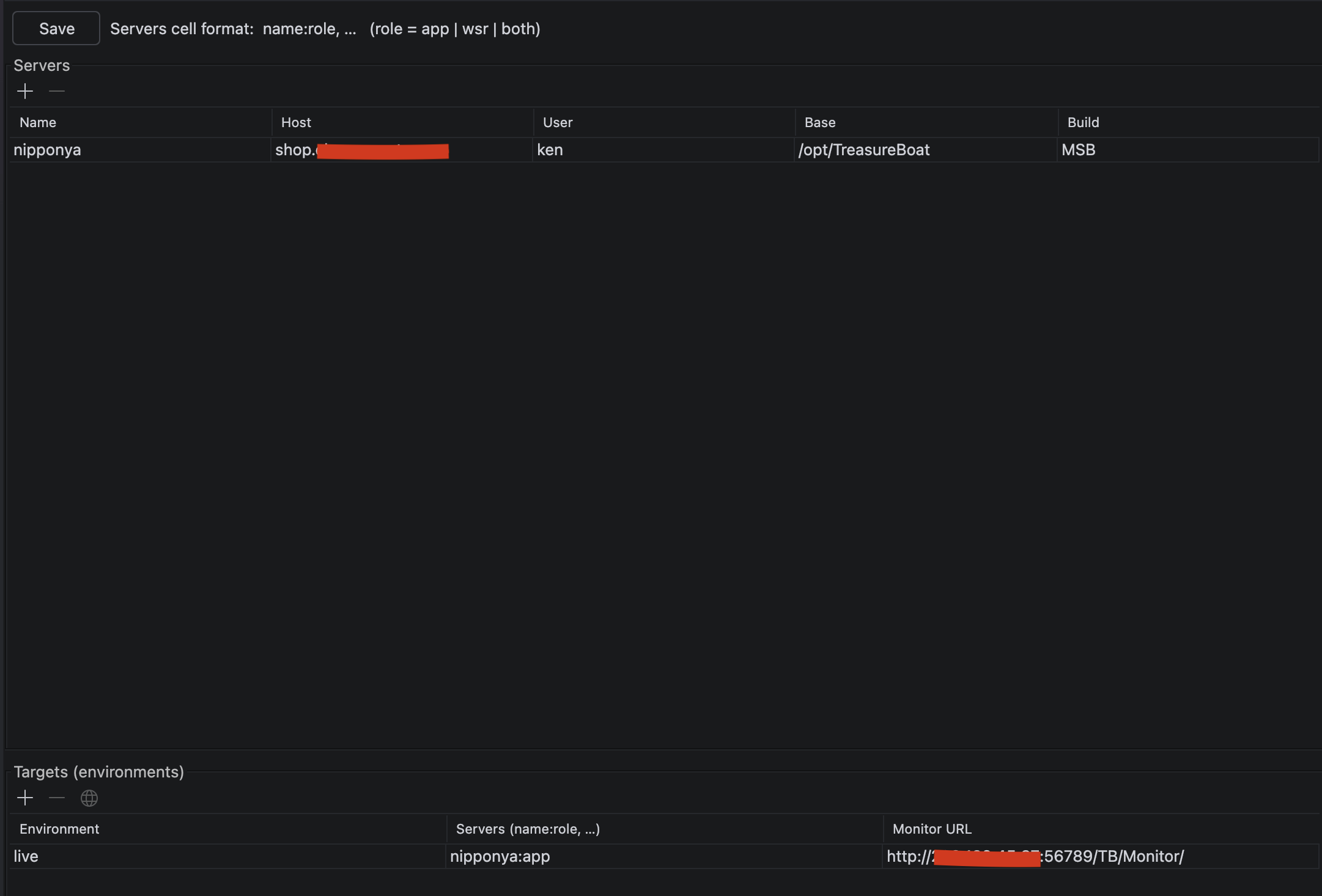
The last stop in the editor tour: getting your application onto a server. Two
parts to it — where you deploy (the Deploy editor, backed by the
.treasureboat file) and how you package it (the three build types).
The Deploy editor & the .treasureboat file
Every project has a .treasureboat file (from the Project Layout
post — it also records whether the project is an APPLICATION or a FRAMEWORK). For
an application it additionally holds your deploy configuration, and the Deploy
editor edits it visually:
project.type=APPLICATION
deploy.server.app01.host=159.XXX.XXX.XXX
deploy.server.app01.user=centos
deploy.server.app01.base=/opt/TreasureBoat
deploy.server.app01.build=LEGACY
deploy.server.apache.host=159.XXX.XXX.XXX
deploy.server.apache.build=LEGACY
deploy.target.live.servers=app01\:app, apache\:wsr
- Servers — each deploy server: its
host, SSHuser, installbase, and which build type it takes. - Targets — a named profile (here
live) that maps servers to roles:app01:appruns the application,apache:wsrserves the static web resources. Deploying thelivetarget pushes each server its part over SSH.
The three build types
You package the app one of three ways, depending on what the target server has
and how self-contained you want the bundle. All three also produce a .tar.gz
for transfer.
| Legacy (NLB) | Maven Embedded (MEB) | Maven Simple (MSB) | |
|---|---|---|---|
| Folder | App-version-timestamp.woa |
App_embedded_YYYYMMDD_HHmm |
App_YYYYMMDD_HHmm |
| Contains | .woa bundle: JARs + full Resources + extracted WebServerResources + run scripts |
app + all dependency JARs in lib/, run scripts |
app JAR + pom.xml only, run scripts |
| Deps resolved | bundled | bundled | Maven pulls them on the server |
| Needs on server | Java | Java | Java + Maven + network |
| Best for | classic production servers | modern, self-contained, air-gapped | dev / staging |
- Legacy (NLB) — the traditional WebObjects-style
.woabundle: JARs with full resources loaded at runtime, WebServerResources extracted to the filesystem, MacOS/UNIX run scripts. What long-running production boxes expect. - Maven Embedded (MEB) — self-contained: every dependency JAR sits in
lib/, so the server needs nothing but Java. The best fit for locked-down or air-gapped servers (no outbound network to a Maven repo). - Maven Simple (MSB) — lightweight: just the app JAR +
pom.xml. Maven on the server downloads the dependencies on first run. Smallest to transfer, but the server needs Maven and network access — handy for dev/staging.
The build type is per server in
.treasureboat(deploy.server.<name>.build), so different targets in the same profile can package differently.
WebServerResources (WSR)
Alongside any of the three, a WSR build packages just the static resources
(CSS, JS, images, fonts) for a front web server — Apache or nginx — to serve
directly, instead of through the application. That’s the apache:wsr role in the
target above.
And Docker
For containers, TreasureBoat also generates a Dockerfile and
docker-compose.yml and can build/run locally — a separate topic, covered by the
Docker help pages in the IDE.
Related
- Project Layout — the
.treasureboatfile andtarget/ - The Application vs Framework section there — only applications carry deploy config
#IntelliJ