The Localization Editor
TreasureBoat localizes with Apple-style .strings files, one per language,
inside .lproj folders (from the Project Layout
post):
src/main/resources/
    English.lproj/Localizable.strings
    Japanese.lproj/Localizable.strings
    German.lproj/Localizable.strings
A .strings file is just key–value pairs:
/* a comment */
"login.title"    = "Sign In";
"login.username" = "Username";
Editing several languages by hand and keeping their keys in sync is tedious, so the Localization Editor gives you a table with compare and sync built in.
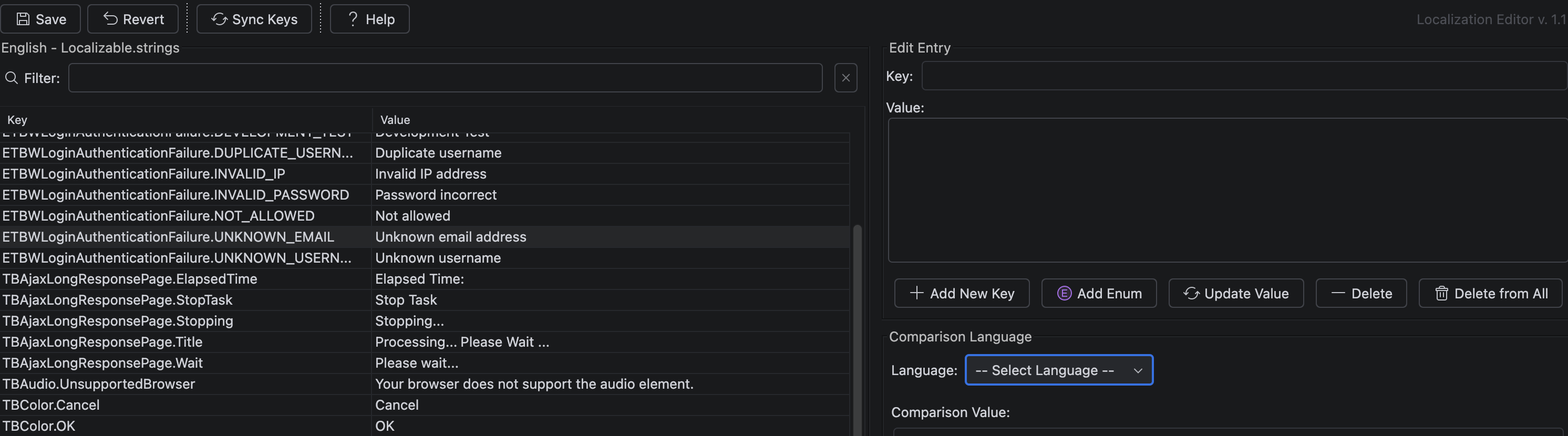
The layout
- Left — the key list. Every key/value, with a filter box. Missing values are highlighted so gaps are obvious.
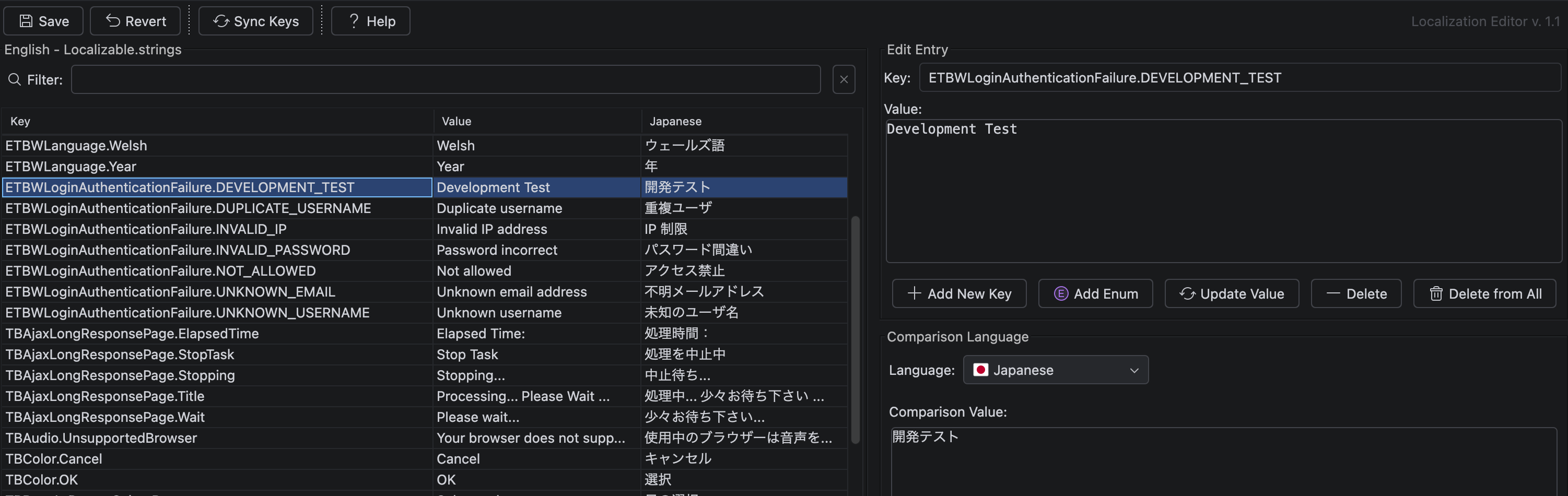
- Right — edit & compare. Edit the selected value (multi-line supported), and pick a Comparison Language to see another language’s value side by side.
The two features that save time
Compare
Choose a comparison language and the table gains a column showing that language’s value next to the current one — so you can translate against a reference and spot what’s still missing at a glance.
Sync Keys
Sync Keys finds keys that exist in one language but not the other and adds the missing ones (with empty values) to both files, then reports how many it added. Run it whenever you add new keys and every language file stays aligned.
Good to know
- Delete vs Delete from All — Delete removes a key from the current language only; Delete from All removes it from every language file. Use the second with care.
- Use hierarchical keys (
login.title,login.button.submit) — they group naturally and read well in code. - Use
\nfor line breaks inside a value; escape quotes as\". - This edits the strings. In components and Java you read them through the
localizer (e.g.
$localizer.login.title) — see the note in the Project Layout post about using the localizer classes rather than multi-language components.
Related
- Project Layout — where
.lprojfolders live
#IntelliJ