The Navigation Editor
Your application’s menus — the navigation bar — are defined by plist files in
a Navigationbar/ folder (you saw it in the Project Layout
post). The Navigation Editor edits those as a visual tree instead of hand-writing
NeXTSTEP pLists.
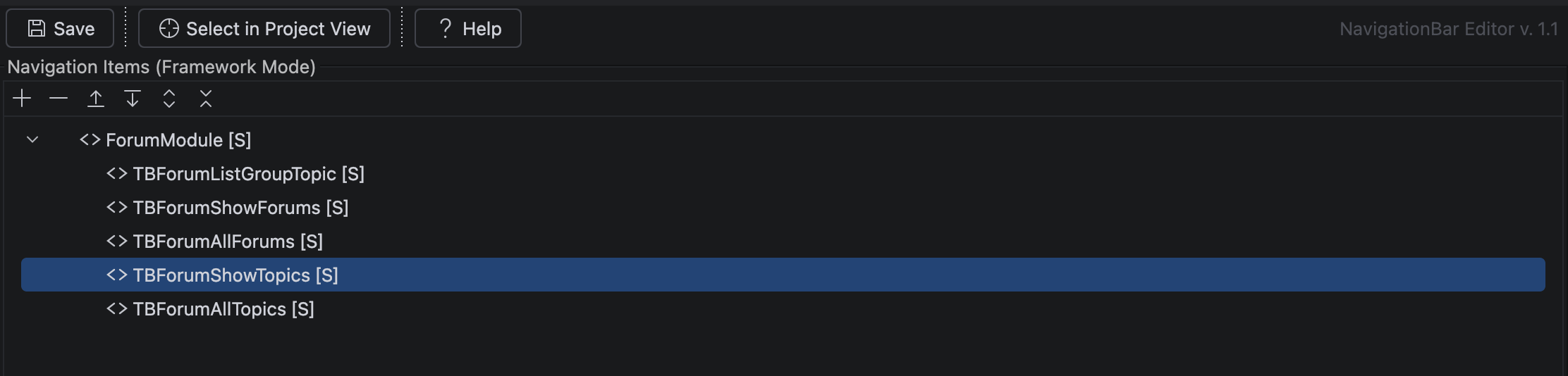
A layered menu
Navigation in TreasureBoat is layered — the menu you see is assembled from three sources, and the editor tags each item so you know where it comes from:
[F]Framework items — provided by the frameworks you depend on. Read-only here; to change them, open the framework project itself.[S]Shared items — defined in your app, available across every FaceID.- FaceID items — belong to one specific FaceID.
FaceIDs
In an application, the left panel lists FaceIDs — each is a separate menu configuration (for a role, a section, a tenant). Pick a FaceID to edit its tree. In a framework, there are no FaceIDs; you edit the framework’s items directly.
Editing an item
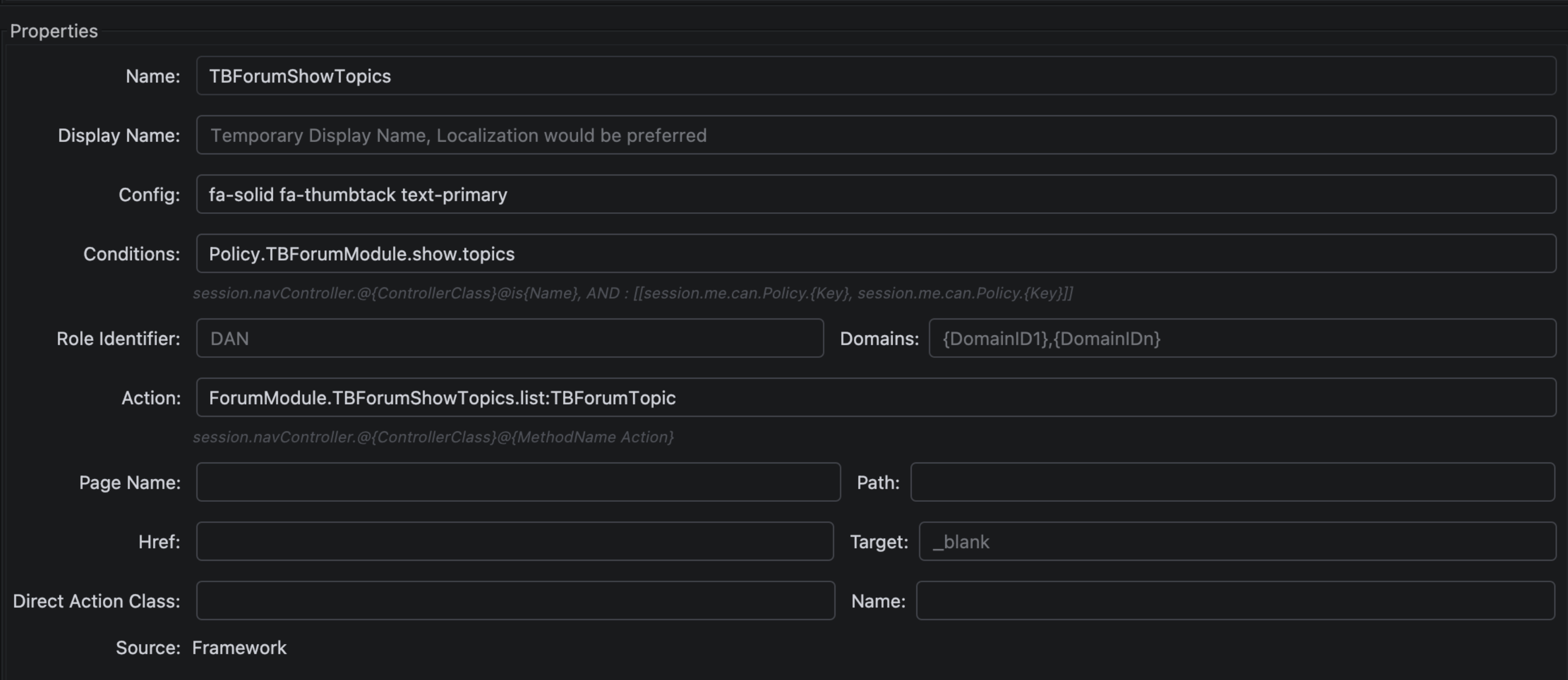
Select a node in the tree, and the properties panel shows what it points at. The ones you’ll use most:
| Property | Description |
|---|---|
| name | Internal identifier for the item |
| displayName | The label shown in the menu |
| pageName | The TBComponent page to open |
| action | An action method to invoke instead of a page |
| href | An external URL |
| directActionClass / directActionName | A direct action to call |
| roleIdentifier | Only users with this role see the item (access control) |
| conditions | When the item is visible |
| domains | Domain restriction (multi-domain apps) |
| target | Link target, e.g. _blank |
The tree toolbar adds / removes / reorders items and expands or collapses the whole tree.
Good to know
- Framework items are read-only in an app. That’s by design — the layering
lets a framework ship a default menu that apps extend without forking it. To
change a
[F]item, edit its framework. - FaceIDs are how one app shows different menus — per role, per section, per tenant — from one navigation configuration.
roleIdentifieris real access control: an item a user has no role for simply isn’t in their menu.
Related
- Project Layout — where
Navigationbar/lives
#IntelliJ